Identity Providers
Configure Single Sign-On (SSO) with your identity provider.
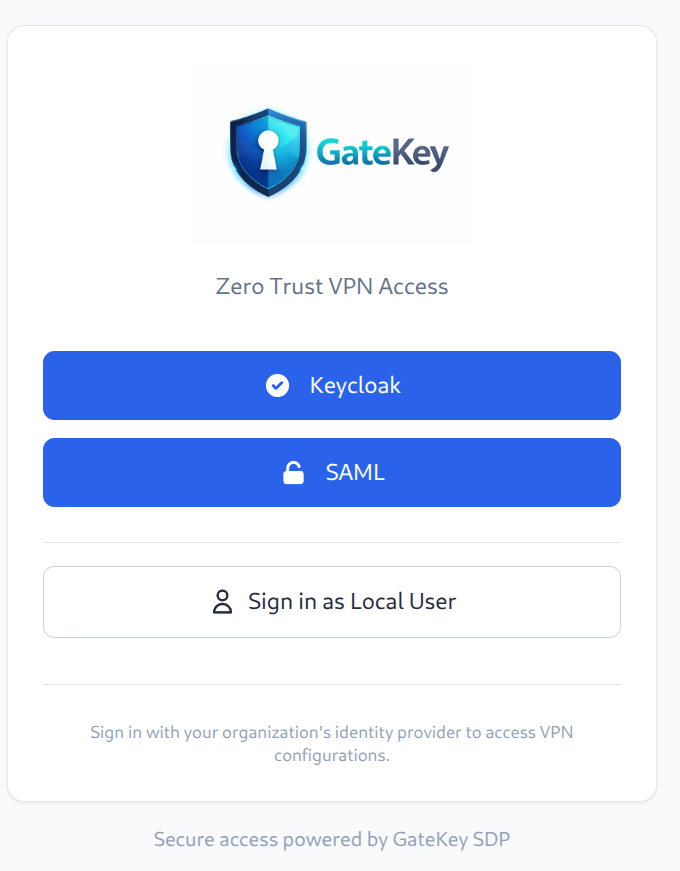
GateKey supports multiple identity providers simultaneously, allowing users to choose their preferred authentication method.
Supported Protocols
- OIDC (OpenID Connect) - Recommended
- SAML 2.0 - For enterprise IdPs
Supported Providers
- Okta
- Azure AD / Entra ID
- Google Workspace
- Keycloak
- Auth0
- OneLogin
- Any OIDC/SAML 2.0 compliant provider
OIDC Configuration
Okta
- Create a new App Integration in Okta
- Select "OIDC - OpenID Connect"
- Select "Web Application"
- Configure redirect URI:
https://vpn.yourcompany.com/api/v1/auth/oidc/callback - Note the Client ID and Client Secret
auth:
  oidc:
    enabled: true
    providers:
      - name: "okta"
        display_name: "Login with Okta"
        issuer: "https://yourcompany.okta.com"
        client_id: "your-client-id"
        client_secret: "your-client-secret"
        redirect_url: "https://vpn.yourcompany.com/api/v1/auth/oidc/callback"
        scopes: ["openid", "profile", "email", "groups"]
Azure AD
- Register an application in Azure AD
- Add redirect URI:
https://vpn.yourcompany.com/api/v1/auth/oidc/callback - Create a client secret
- Note the Application (client) ID and Directory (tenant) ID
auth:
  oidc:
    enabled: true
    providers:
      - name: "azure"
        display_name: "Login with Microsoft"
        issuer: "https://login.microsoftonline.com/{tenant-id}/v2.0"
        client_id: "your-client-id"
        client_secret: "your-client-secret"
        redirect_url: "https://vpn.yourcompany.com/api/v1/auth/oidc/callback"
        scopes: ["openid", "profile", "email"]
Google Workspace
- Create OAuth credentials in Google Cloud Console
- Add authorized redirect URI:
https://vpn.yourcompany.com/api/v1/auth/oidc/callback - Download the JSON credentials
auth:
  oidc:
    enabled: true
    providers:
      - name: "google"
        display_name: "Login with Google"
        issuer: "https://accounts.google.com"
        client_id: "your-client-id"
        client_secret: "your-client-secret"
        redirect_url: "https://vpn.yourcompany.com/api/v1/auth/oidc/callback"
        scopes: ["openid", "profile", "email"]
Keycloak
auth:
  oidc:
    enabled: true
    providers:
      - name: "keycloak"
        display_name: "Login with SSO"
        issuer: "https://keycloak.yourcompany.com/realms/your-realm"
        client_id: "gatekey"
        client_secret: "your-client-secret"
        redirect_url: "https://vpn.yourcompany.com/api/v1/auth/oidc/callback"
        scopes: ["openid", "profile", "email", "groups"]
Group Sync
GateKey syncs groups from your IdP for access control. Configure your IdP to include groups in the token claims.
Okta Groups
Add the "groups" claim to your Okta authorization server.
Azure AD Groups
Add group claims in the Token Configuration section.
Multiple Providers
You can configure multiple identity providers:
auth:
  oidc:
    enabled: true
    providers:
      - name: "okta"
        display_name: "Employees"
        # ... config
      - name: "google"
        display_name: "Contractors"
        # ... config
Users will see a provider selection screen at login.